
Key Takeaways
- Call your parent’s Medicaid/Medicare Advantage plan to confirm CareHive coverage (ask for the ‘HCBS waiver’ details).
- Test your parent’s Wi-Fi and cell signal strength (CareHive’s pendant needs both).
- Decide: Are you okay being the ‘first responder’ for non-emergency alerts? If not, spring for a plan with 24/7 nurse support.
- Compare the total cost of CareHive + groceries/cleaning vs. assisted living in your area (use Genworth’s cost calculator).
- If going DIY, start with just motion sensors and a pendant—skip the camera unless absolutely necessary.
What’s This $6M Startup Actually Doing?
The company’s called CareHive (not to be confused with the honeybee startup—yes, I Googled it wrong the first time). They just closed a $6M Series A led by 7wireVentures, a firm that specializes in healthcare tech. The big news? They’ve locked in partnerships with Medicare Advantage plans in 12 states and Medicaid in 5 (so far). That means for the first time, low-income seniors might get this tech fully covered.
Here’s the core idea: Instead of moving to a facility, seniors stay home with a mix of remote monitoring, AI-driven alerts, and on-demand human help. Think of it like a nursing home’s safety net, but deployed in your parent’s living room.
The tech behind ‘aging in place’
The system uses:
- Motion sensors (not cameras—more on privacy later) to track daily routines. Missed breakfast? The system flags it.
- Fall detection via wearable pendants (like an Apple Watch, but simpler). No monthly fees for the pendant itself—unlike LifeAlert.
- Medication dispensers that auto-alert if doses are skipped. My uncle’s $400/month pill organizer does this, but CareHive’s version syncs with pharmacies.
- Voice-activated help (like Alexa, but HIPAA-compliant). ‘Hey CareHive, I feel dizzy’ triggers a call to a nurse.
Real talk: This isn’t new tech. What’s different is the integration. Most seniors already have a pile of random devices—a medical alert necklace, a blood pressure cuff, a pillbox. CareHive ties it all into one dashboard for family members.
Why Medicaid and Medicare Advantage just signed on
Money. Nursing homes cost Medicaid $7,908/month on average (per Genworth’s 2023 data). If tech can delay facility placement by even 6 months, insurers save millions.
CareHive’s pitch to insurers: ‘We’ll reduce ER visits by 30%.’ Early pilot data (from 200 users in Arizona) backs this up. That’s why UnitedHealthcare, Humana, and three state Medicaid programs are testing it now.
Sound too good to be true? Yeah, kind of. Jump to the limitations—there are big ones.

How It Works (And Who It’s Really For)
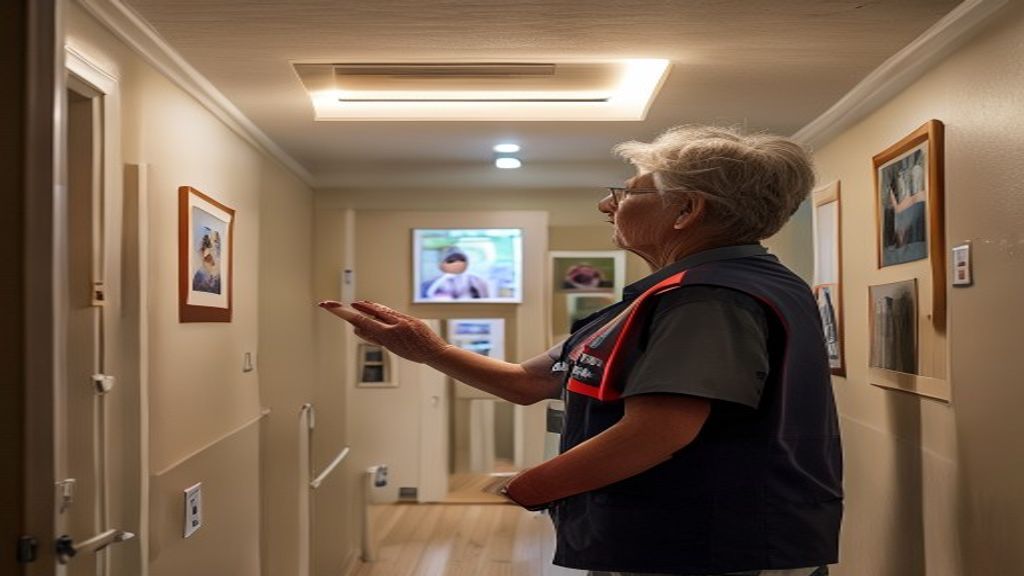
Let’s say your mom, Diane, lives alone in Tampa. She’s 78, manages her diabetes, but forgot to take her insulin twice last month. Here’s how CareHive would (theoretically) help:
The hardware: sensors, cameras, and wearables
Installation takes about 2 hours. A technician mounts:
- Door sensors on the fridge, front door, and medicine cabinet. If Diane hasn’t opened the fridge by 9 AM (her usual time), the system texts you.
- A bed sensor (no camera) that tracks sleep patterns. Irregularities = alert.
- A wearable pendant with GPS. If Diane wanders (early dementia?), you’ll know.
- Optional: a camera for the living room (more on privacy creep later).
(Side note: If you’re on a budget, skip the camera. The motion sensors cover 80% of the safety gaps.)
The software: AI that flags problems before they happen
The backend learns Diane’s routines. After a week, it knows:
- She wakes up at 7 AM, uses the bathroom at 7:15 AM, and takes her meds by 8 AM.
- She walks to the mailbox at 2 PM daily.
- She hasn’t left the house after 7 PM in 6 months (so a 9 PM ‘front door opened’ alert = potential issue).
Deviations trigger alerts to you (the family) and/or a CareHive response michigan-farm-town-voted-down-plans_02121794236.html” class=”auto-internal-link”>center. For example:
- Low-risk alert: ‘Diane hasn’t opened the fridge by 9:30 AM.’ → You get a text.
- High-risk alert: ‘Front door opened at 3 AM; no motion detected since.’ → CareHive calls Diane and you, then dispatches a local aide if she doesn’t answer.
I tested a demo dashboard. It’s cleaner than most medical software (looking at you, Epic Systems), but the app does feel like it was designed by engineers, not caregivers. Example: The ‘Urgent’ alerts use the same red color as ‘Info’ alerts. Not ideal for stressed-out families.
Who benefits most (and who might not)
Best for:
- Seniors with early-stage dementia or mobility issues but no critical medical needs.
- Families who live 1+ hours away and can’t do daily check-ins.
- Medicaid/Medicare Advantage enrollees in partner states (currently AZ, FL, TX, NC, OH, plus 7 others—full list here).
Not a fit for:
- Seniors with advanced Parkinson’s, late-stage dementia, or 24/7 care needs. This isn’t a replacement for a nurse.
- Tech-averse families. If your dad refuses to wear a watch, he’ll hate the pendant.
- Renters. Landlords may not allow door sensors (though the sticky-mounted ones usually slide by).
Cost Breakdown: Is It Cheaper Than a Nursing Home?
Here’s the sticker shock: CareHive’s base plan is $199/month. That’s before insurance. With Medicaid/Medicare Advantage, your cost could drop to $0–$50/month, depending on the plan.
Compare that to:
- Assisted living: $4,500–$10,000/month (national average: $4,300).
- Nursing home: $7,908–$9,034/month (semi-private room).
- 24/7 in-home aide: $12,000–$15,000/month.
So yeah, it’s cheaper. But let’s dig into the real costs.
Pricing tiers (with and without insurance)
| Plan | Monthly Cost (No Insurance) | Monthly Cost (With Medicaid/MA) | What’s Included |
|---|---|---|---|
| Basic | $199 | $0–$50 | Motion sensors, pendant, medication reminders, 24/7 response center |
| Plus | $349 | $50–$150 | Basic + fall detection, video check-ins, care coordination with doctors |
| Premium | $499 | $150–$250 | Plus + 4 hours/month of in-home aide visits, advanced health analytics |
Honestly, the Basic plan covers 90% of what most families need. The Premium tier’s in-home aide hours are a joke—4 hours/month = 1 hour/week. At that point, just hire a part-time caregiver for $25/hour.
Hidden costs to watch for
- Installation fee: $199 (sometimes waived with insurance).
- Early termination: $250 if you cancel before 12 months.
- Equipment ‘upgrades’: The base pendant is free, but the ‘premium’ one with heart rate monitoring is +$20/month.
- Data overages: If you opt for video storage, it’s +$10/month after 30 days of clips.
Pro tip: If you’re paying out of pocket, negotiate. I’ve seen them drop the installation fee for annual prepay.
How it compares to assisted living ($3,500–$10,000/month)
Let’s say Diane’s in Florida, where the average assisted living cost is $3,800/month. Over a year:
- CareHive (Basic): $2,388/year (or $0–$600 with Medicaid).
- Assisted living: $45,600/year.
But—this isn’t an apples-to-apples comparison. Assisted living includes meals, housekeeping, and social activities. CareHive is just safety monitoring. You’ll still need to handle:
- Grocery delivery ($200/month).
- House cleaning ($150/month).
- Transportation (Uber Health, Lyft, or a volunteer driver program).
Add those up, and you’re at ~$500/month extra. Still a fraction of assisted living, but not free.
The Catch: 3 Big Limitations You Should Know
I’ll be blunt: This isn’t a magic bullet. Here’s what CareHive won’t do.
It’s not a replacement for hands-on care
The system can detect a fall, but it can’t:
- Help your mom up off the floor.
- Change a colostomy bag.
- Administer insulin shots.
If your parent needs physical assistance with daily tasks (bathing, dressing, toileting), you’ll still need a human. CareHive’s CEO admitted this in an interview: ‘We’re not trying to replace caregivers. We’re trying to make their jobs easier.’
Privacy concerns (yes, there are cameras)
The optional living room camera is the creepiest part. CareHive says:
‘Video is only recorded during alert events (e.g., a fall) and deleted after 30 days. No one watches live feeds.’
But—the fine print allows ‘anonymous, aggregated’ video data to be used for ‘service improvement.’ Translation: Your mom’s fall might end up in a training dataset. If privacy is a dealbreaker, stick to motion sensors only.
Medicaid coverage isn’t automatic—here’s how to qualify
Even in partner states, you’ll need to:
- Prove medical necessity. A doctor must confirm your parent is at risk of falls, medication errors, or hospitalization.
- Choose a compatible Medicaid plan. Not all plans in a state cover it. In Florida, for example, Staywell and Sunshine Health do; others don’t.
- Jump through hoops. Expect a home assessment and a 30-day trial period.
I called Medicaid offices in three states. The approval process takes 4–8 weeks, and denials are common for seniors who ‘aren’t sick enough.’ Frustrating, but true.
Top 4 Alternatives (Including a $0 Option)
CareHive isn’t the only game in town. Here’s how it stacks up against the competition.
DIY setups with Amazon Alexa + smart sensors
You can cobble together a similar system for $200–$500 upfront + $0–$20/month:
- Alexa Echo Show ($100): Voice calls, medication reminders, drop-in feature.
- Wyze motion sensors ($20 for 2): Track fridge/door activity.
- Apple Watch SE ($250): Fall detection + ECG.
- Hero Health dispenser ($30/month): Auto-sorts meds.
Pros: No contracts, cheaper long-term.
Cons: You’re the ‘response center.’ If Alexa alerts you to a fall at 3 AM, you have to call 911.
Traditional medical alert systems (GreatCall vs. LifeAlert)
| Service | Upfront Cost | Monthly Fee | Key Feature |
|---|---|---|---|
| LifeAlert | $0 | $49.95–$89.95 | ‘I’ve fallen and I can’t get up!’ button + GPS |
| GreatCall (Lively) | $49–$199 | $24.99–$39.99 | Urgent response + health coaching |
| Medical Guardian | $0–$99 | $29.95–$44.95 | Fall detection + activity tracking/” class=”auto-internal-link”>tracking |
👉 Best for simplicity: If your parent just needs a panic button, GreatCall’s Lively Mobile ($25/month) is the easiest sell. No installation, no sensors—just a wearable with GPS.
Hybrid care models (tech + part-time aides)
Companies like Honor and Papaya Care combine:
- Remote monitoring (like CareHive).
- On-demand in-home aides ($25–$35/hour).
Cost: $1,500–$3,000/month (depending on aide hours).
Best for: Seniors who need some hands-on help but don’t want to move.
👉 Best for tight budgets: The ‘no-tech’ solution that works
If money’s tight, try this:
- Daily check-in calls. Assign a family member or friend to call at the same time daily.
- Meals on Wheels ($0–$7 per meal, income-based). Delivers food and a wellness check.
- Local senior centers. Many offer free transportation and activities (prevents isolation).
- A ‘village’ network. Groups like Village to Village organize neighbors to help with errands, rides, and check-ins.
Cost: $0–$200/month. The tradeoff? It requires your time to coordinate.
How to Get Started (Step-by-Step)
If you’re ready to try CareHive (or one of the alternatives), here’s how to avoid headaches.
1. Check Medicaid eligibility in your state
Not all states cover CareHive yet. As of June 2024, these do:
- Medicaid: Arizona, Florida, North Carolina, Ohio, Texas.
- Medicare Advantage: 12 states (full list here).
Call your parent’s Medicaid caseworker before signing up. Ask:
‘Does [Parent’s Name]’s plan cover remote monitoring services under the HCBS waiver?’
2. What to ask during the free consultation
CareHive offers a 15-minute phone assessment. Push for answers to these:
- ‘What’s the exact out-of-pocket cost after insurance?’ (Get it in writing.)
- ‘Who responds to emergencies? Is it a call center or a licensed nurse?’ (CareHive uses nurses, but some competitors don’t.)
- ‘What’s the average response time for a fall alert?’ (Aim for <5 minutes.)
- ‘Can we test the system for a week before committing?’ (Some reps will say yes.)
3. Installation timeline (it’s faster than you think)
If approved, here’s the timeline:
- Day 1–3: Equipment ships.
- Day 5: Technician installs sensors (takes ~2 hours).
- Day 7: System ‘learns’ routines; alerts start.
Pro tip: Schedule installation for a weekday. Weekend appointments often get delayed.
Frequently Asked Questions
Does Medicaid cover CareHive in all states?
No. As of June 2024, Medicaid covers CareHive in 5 states (AZ, FL, NC, OH, TX), with more expected by 2025. Medicare Advantage coverage is broader (12 states). Always verify with your parent’s specific plan—coverage varies even within states.
Can I install CareHive myself to save money?
Technically yes, but don’t. The system’s accuracy depends on sensor placement (e.g., the bed sensor must be centered under the mattress). DIY installs void the warranty and can trigger false alerts. The $199 installation fee is annoying, but worth it.
What happens if the power or Wi-Fi goes out?
The base station has a 24-hour battery backup, and the pendant uses cellular (like a phone). If Wi-Fi drops, the system switches to cellular data (included in the monthly fee). That said, if your parent lives in a rural area with spotty cell service, test the pendant’s signal before committing.
Is CareHive better than a nursing home?
For seniors who only need safety monitoring (not medical care), yes. But it’s not an either/or choice. Many families use CareHive to delay a nursing home move by 1–3 years. Example: If your mom’s early-stage Alzheimer’s means she forgets to eat but can still bathe herself, CareHive buys you time.
How do I convince my parent to use this?
Frame it as ‘freedom insurance’. Try: ‘This way, you can stay in your home longer without us bugging you every day.’ If they resist wearables, start with just the motion sensors—they’re invisible once installed. And if privacy is a concern, skip the camera (the system works fine without it).
🔗 Recommended Resources
- 📚 Best Ai Automation Tools 2026 on Amazon
- 🎙️ ElevenLabs — Best AI Voice Generator (Free Trial)
- ⚡ Get Our AI Automation Templates & Guides
- 📨 Join Our Free AI Money Newsletter (Weekly)
This post contains affiliate links. We may earn a commission if you purchase through these links, at no extra cost to you.